Console Game Language
A new programming language (compiler & runtime) for retro console games
I completed the course Programming Paradigms and Pragmatics by Dr. Deepti Bathula in 2021. There I learned about the behind-the-scenes of a compiler — grammar, lexical analysis, syntax analysis, etc. We did a few assignments where we used Lex and Yacc to write a simple compiler. But these tools hid some of the complexities I wanted to understand. So, in the next summer vacation (June 2021), I started writing a programming language and a compiler of my own.
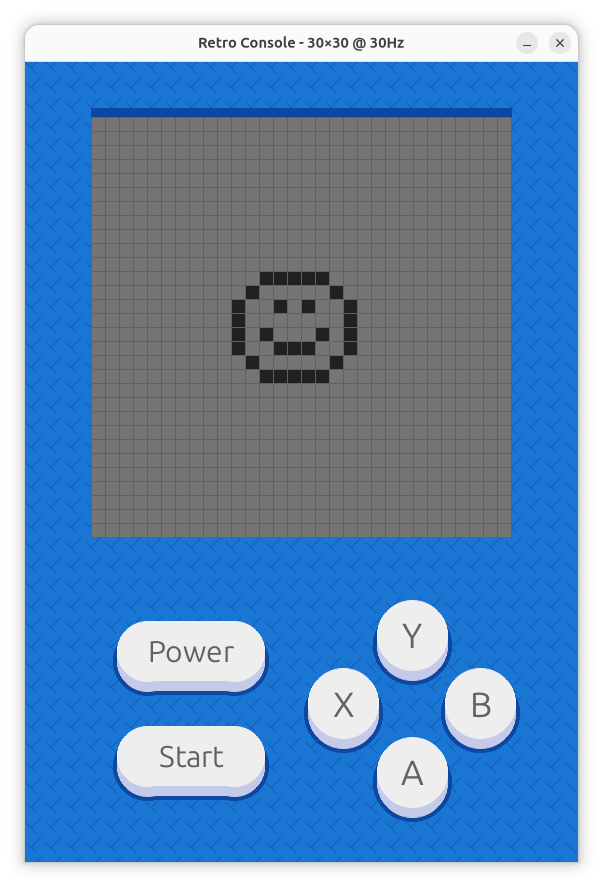
I call this language Console Game Language, since the runtime here is a custom retro game console. With this language, you can create programs for that custom game console.
Quick Intro to the Language
- A program in this language works on states (a state name starts with
~). - All instructions in the current state are executed at every frame refresh (aka a clock tick).
- The instructions in a state can be to clear the display, display a shape at a coordinate, assign values to variables, or jump to another state.
- A state can also define button handlers, i.e. what happens when
X,Y,A,B, orSTARTis pressed when the program is in that state. Button handlers start with@. - A shape is a fixed pixel array arrangement (a shape name starts with
#).
Here's a simple program. A program starts with the name of the first state.
It defines an X shape as a matrix (. means off pixels, # means on pixels).
Then the state definition displays the shape at coordinate (10, 10). FYI, all expressions in this language are enclosed in square brackets.
~x_state

#x_shape {
#.#
.#.
#.#
}

~x_state {
    display #x_shape @ ([10], [10])
}
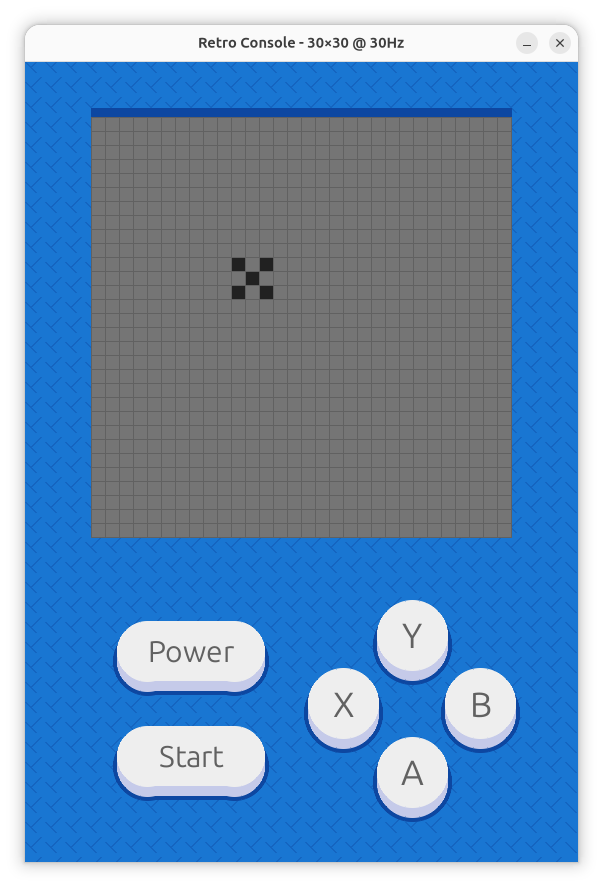
It looks like this on a 30x30 screen.
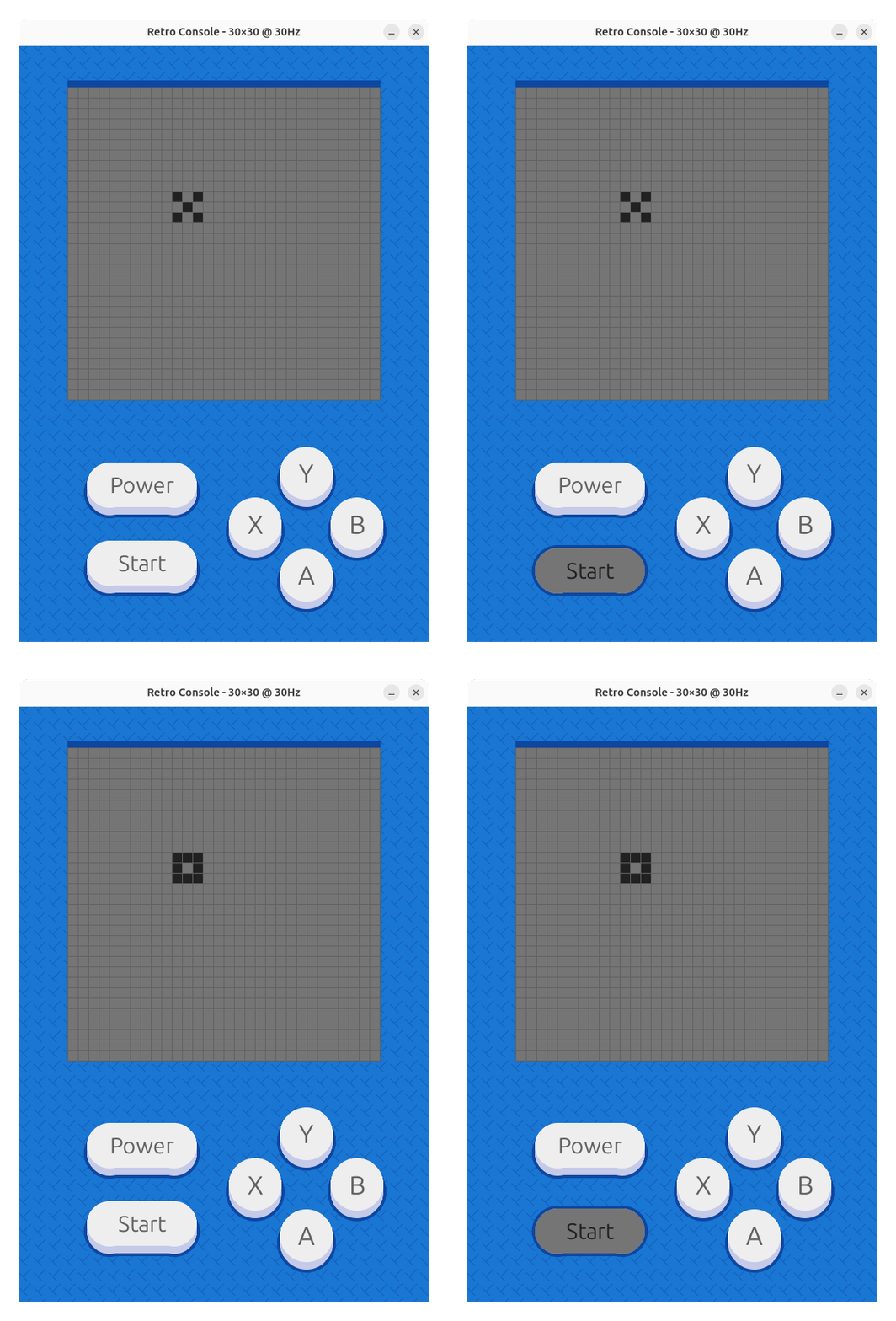
Now, let's add one more state which displays Os instead of Xs, and we'll switch the state by pressing START.
~x_state

#x {
#.#
.#.
#.#
}

#o {
###
#.#
###
}

~x_state {
    clear
    display #x @ ([10], [10])

    @START {
        goto ~o_state
    }
}

~o_state {
    clear
    display #o @ ([10], [10])

    @START {
        goto ~x_state
    }
}
Here, we've added a button handler @START which runs a goto command to jump to a different state. The clear statement clears all the pixels, so that the shapes don't appear on top of each other (which may be desired in some cases).
It also supports if conditions, while iterations, random numbers, and variables. See samples for more.
Compilation Steps
Compilation and execution have these five steps:
- Preprocessing
- Lexical Analysis
- Syntax Analysis
- Semantic Analysis
- Rendering data to the screen and interfacing the user with the underlying program
Preprocessing
In preprocessing, we remove comments from the code, remove trailing whitespace from lines, and add a newline at the end of the file if it is not present.
Lexical Analysis
Here, the stream of characters is tokenized.
The tokens are defined in lexerPatterns.py using regular expressions.
The lexical analyzer matches the head of the stream with the tokens.
For example, this code
~x_state

#x_shape {
#.#
.#.
#.#
}

~x_state {
    display #x_shape @ ([10], [10])
}
will be tokenized as follows:
| Token | Position | Lexeme |
|---|---|---|
| state-name | 1:1 | ~x_state |
| newline | 1:9 | |
| shape-name | 3:1 | #x_shape |
| left-brace | 3:10 | { |
| newline | 3:11 | |
| shape | 4:1 | #.# .#. #.# |
| right-brace | 7:1 | } |
| newline | 7:2 | |
| state-name | 9:1 | ~x_state |
| left-brace | 9:10 | { |
| newline | 9:11 | |
| display-shape | 10:5 | display |
| shape-name | 10:13 | #x_shape |
| coordinate-op | 10:22 | @ |
| left-paren | 10:24 | ( |
| single-expression | 10:25 | [10] |
| comma | 10:29 | , |
| single-expression | 10:31 | [10] |
| right-paren | 10:35 | ) |
| newline | 10:36 | |
| right-brace | 11:1 | } |
| newline | 11:2 |
Syntax Analysis
The stream of tokens is converted to an abstract syntax tree (AST) by the syntax analyzer.
The rules that define how to convert the tokens to a syntax tree are the grammar of the language and are often defined using BNF.
The grammar of this language is grammar.bnf.
The prog token is the root of the syntax tree.
Here I used an LR(0) parser to parse the grammar and tokens into a syntax tree. This is the core of the compiler. It includes managing items, item sets, action table, goto table, etc. This is where compiler theory from my course and Wikipedia helped me (because LLMs were not really a thing yet).
The syntax tree for the above program is
prog
├── state-name: ~x_state
├── newline: \n\n
├── top-level-stmts
│   ├── top-level-stmts
│   │   └── top-level-stmt
│   │       └── shape-def
│   │           ├── shape-name: #x_shape
│   │           ├── left-brace: {
│   │           ├── newline: \n
│   │           ├── shape: #.#
│   │           │          .#.
│   │           │          #.#
│   │           └── right-brace: }
│   ├── newline: \n\n
│   └── top-level-stmt
│       └── state-def
│           ├── state-name: ~x_state
│           ├── left-brace: {
│           ├── newline: \n
│           ├── instate-stmts
│           │   └── instate-stmt
│           │       └── screen-update-stmt
│           │           ├── display-shape: display
│           │           ├── shape-name: #x_shape
│           │           ├── coordinate-op: @
│           │           ├── left-paren: (
│           │           ├── expression
│           │           │   └── single-expression: [10]
│           │           ├── comma: ,
│           │           ├── expression
│           │           │   └── single-expression: [10]
│           │           └── right-paren: )
│           ├── newline: \n
│           └── right-brace: }
└── newline: \n
This completes the compilation of the program. This tree could be serialized and saved as compiled output. But here, we're not doing that — we're converting this to semantic objects directly.
Semantic Analysis
This is where abstract terms such as expression and state changes start to make sense.
Semantic analysis creates objects that carry meaning for runtime behavior. For example, an expression object can be queried to get a value after it is converted from syntax-level representation. In some languages, the AST is translated to machine code (C++, Go), and in others it is converted to bytecode (Java, Kotlin, Dart).
Rendering
Finally, semantic objects are used by the renderer (here a PyGame program) to display pixel arrays, manage states, handle button presses, etc. It acts as the interface between the user and the program.
Check out this video to see the program in action.